

Instant demo
Experience the power of VAPP directly from your browser through simulations of real contexts.
Start demo
Every change, safely kept
Your network configuration changes all the time, and every version deserves a copy. VAPP Backup & Versioning saves them automatically, shows you what changed between two dates and brings any earlier version back with a single operation.
Start turning data into insights now with VAPP free, full-featured trial.
No credit card required.
Key Benefits
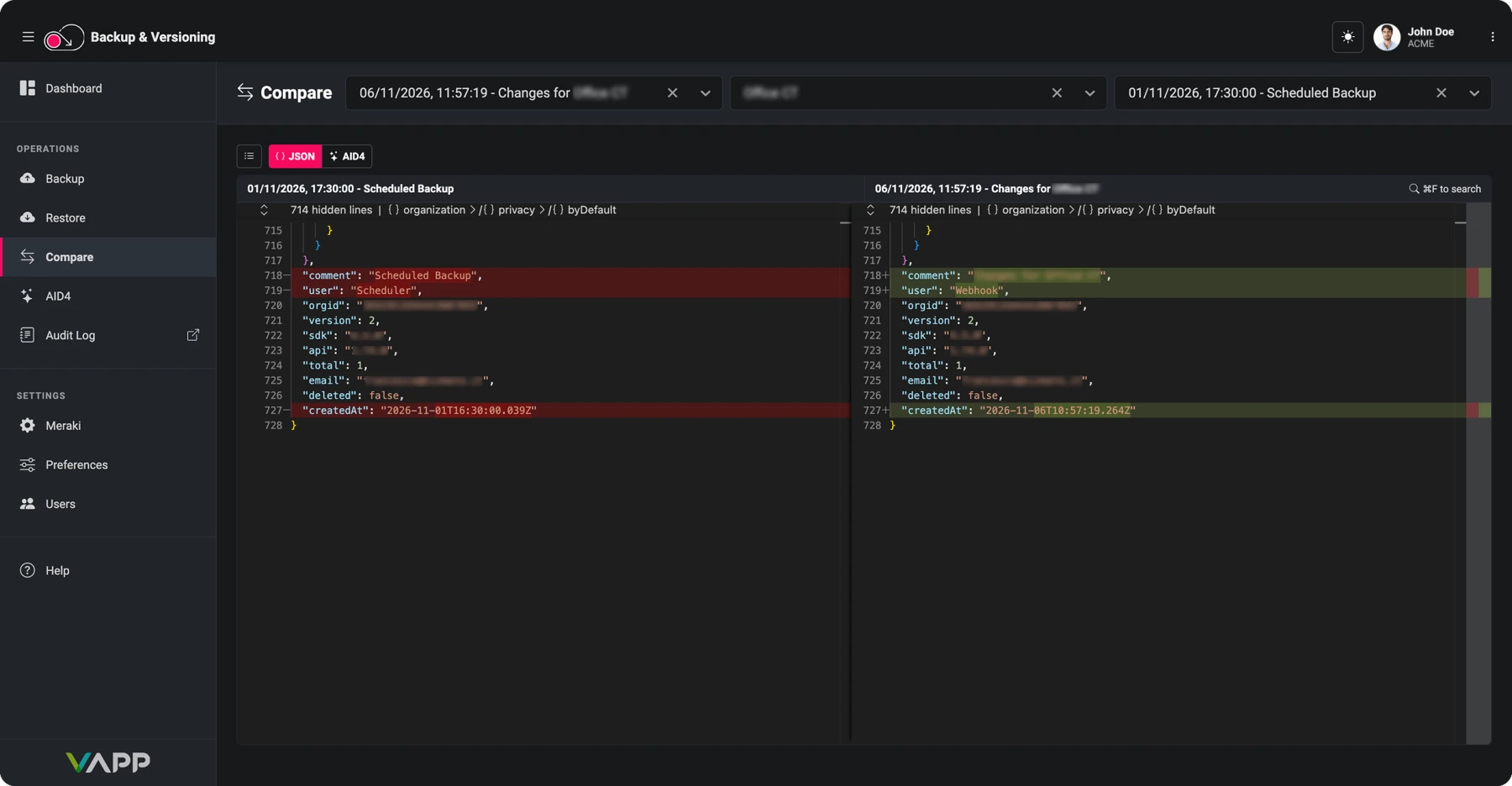
Know what changed, when and why. Every Meraki configuration change can trigger a backup, and the notification email includes a plain-language summary of what changed since the previous one. Compare any two versions side by side to spot the difference in seconds.
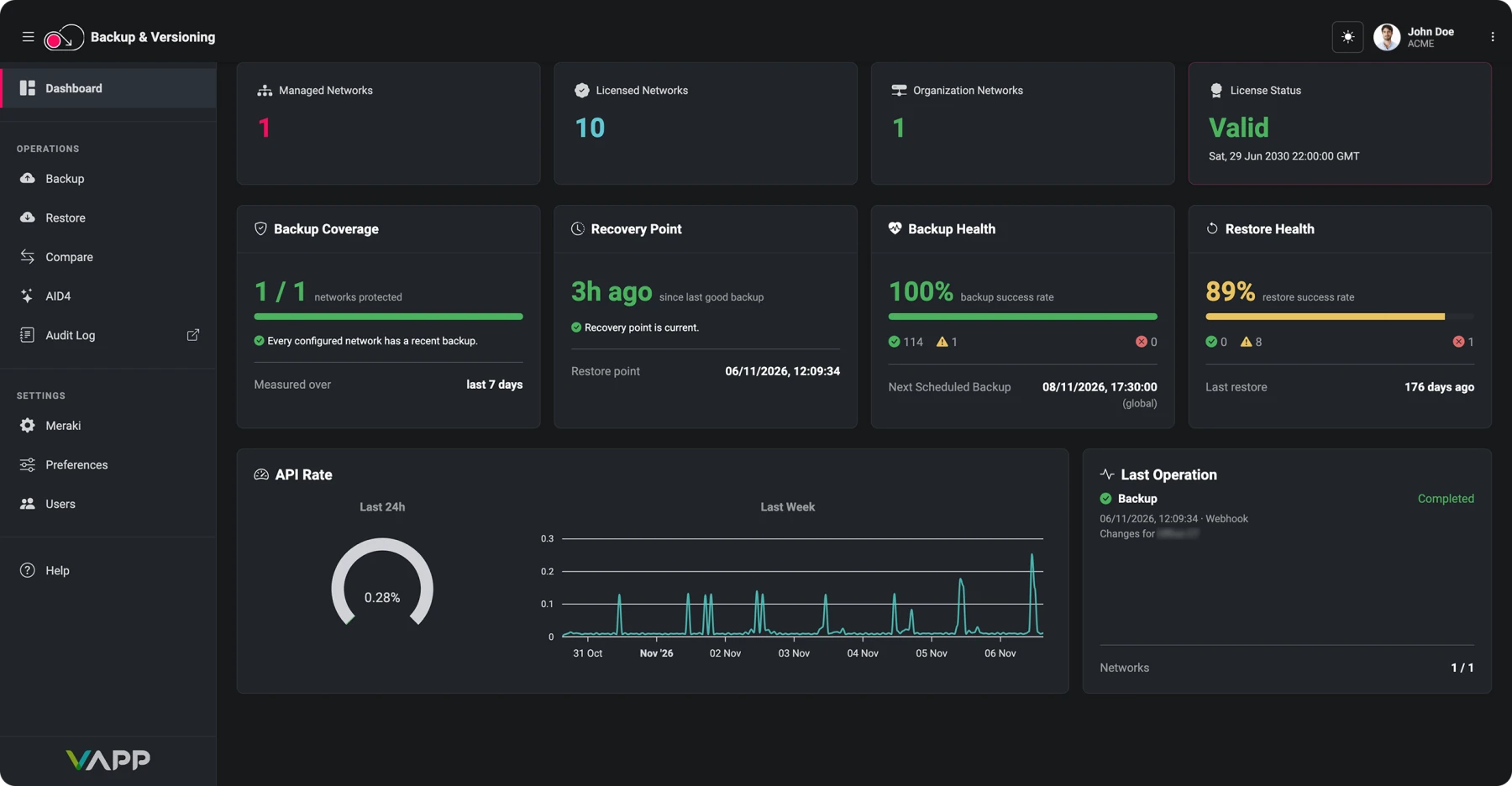
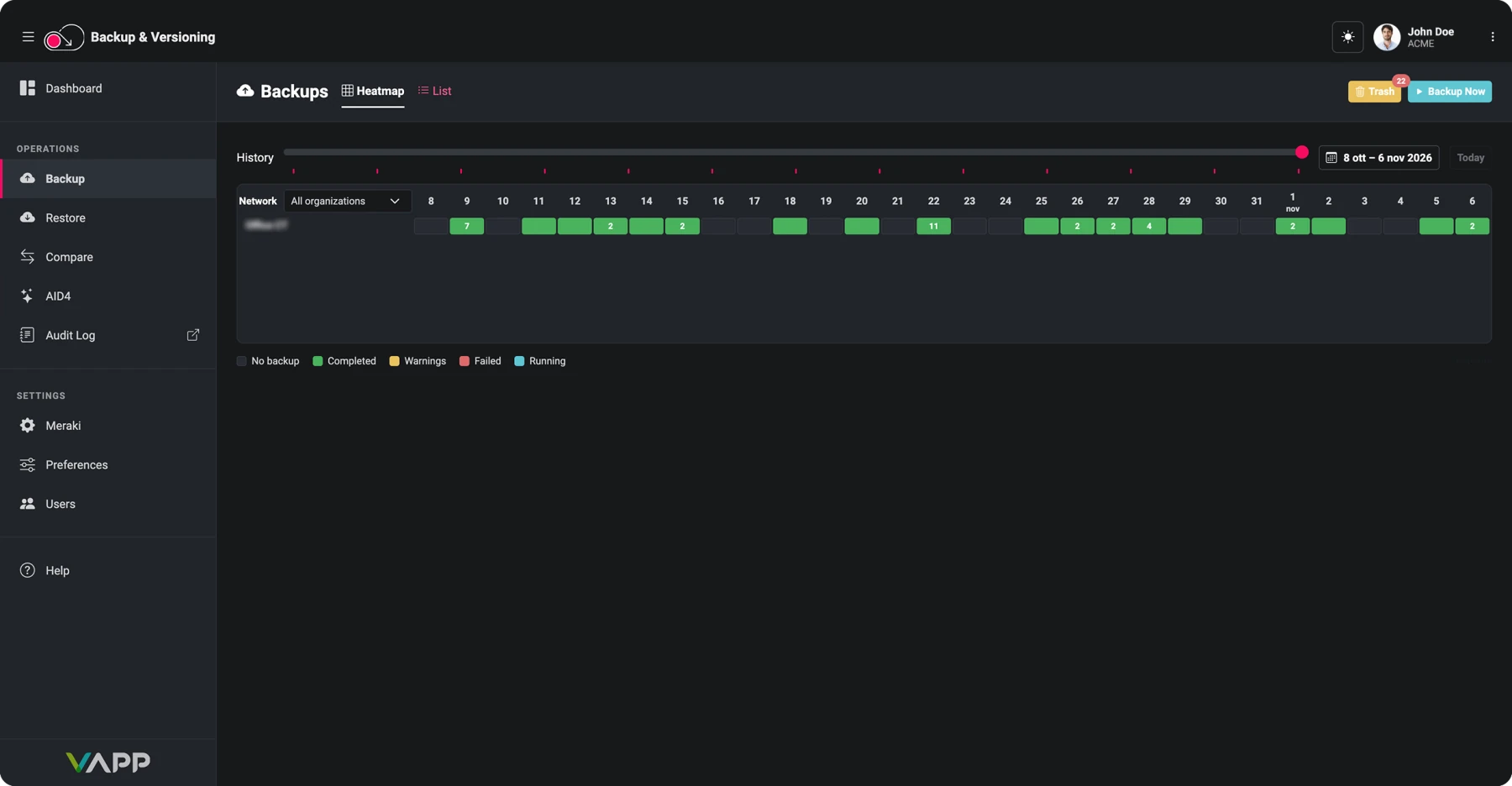
Protect and restore your critical configurations in a few clicks. A dashboard with a Backup Health score and a heatmap of every network's backups answers the question "are we covered?" at a glance, from a handful of networks to thousands.
Revert to an earlier configuration, or bring back a deleted network, as a single operation, with no manual rework and no new deployment.
Keep your backups in your own Amazon S3 bucket or S3-compatible storage, sign in with your company's single sign-on and restrict access to the addresses you trust. Your data, your rules.
Features

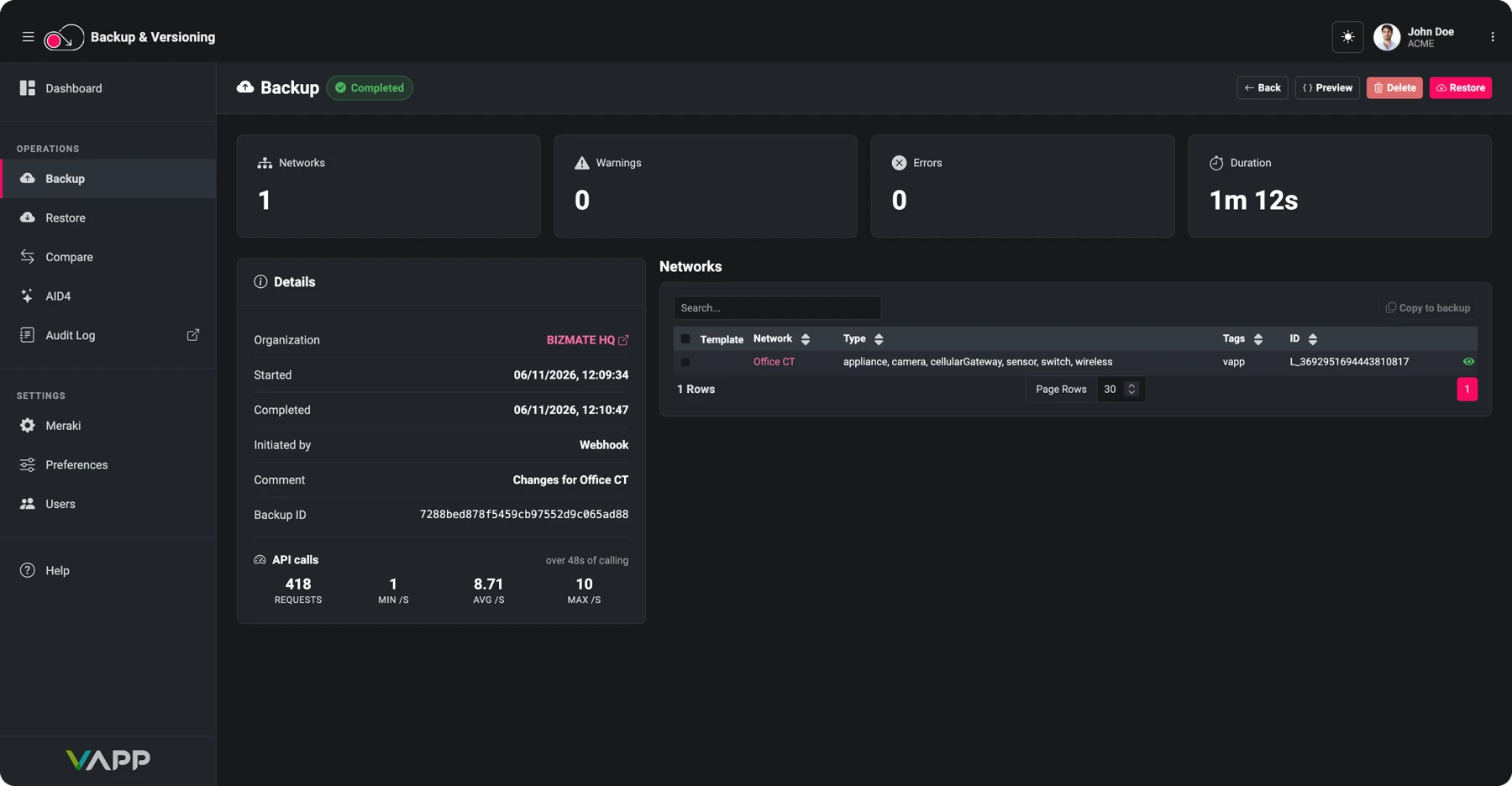
Back up all your networks or only selected ones, configuration templates included, and keep a complete history of every version ready to compare or restore.

The platform hooks into the Meraki Dashboard and starts a network backup whenever a change is detected, with an email summarizing what changed since the last one.

Recover networks, deleted ones included, with relationships between objects preserved and no new deployment needed. Mistakenly deleted backups come back from the Trash Folder in a few steps.

Search across all backups and compare any two side by side in a diff editor, where changes in key order are ignored so only real differences stand out.
Keep backups in your own Amazon S3 bucket or any S3-compatible service such as MinIO, Ceph, Wasabi or Backblaze B2. A built-in test checks write and read access at setup.

Connect with OAuth 2.0 from the setup wizard instead of pasting an API key. Access renews automatically, even during backups that run for days. Regional dashboards are supported too.

Users sign in with your company’s identity provider and get roles from directory groups. Administrators limit each tenant to trusted addresses, and the audit log records every caller’s address.

The engine paces itself per organization, slowing down when Meraki pushes back and speeding up when there is room. Interrupted work resumes in about a minute on dedicated workers.
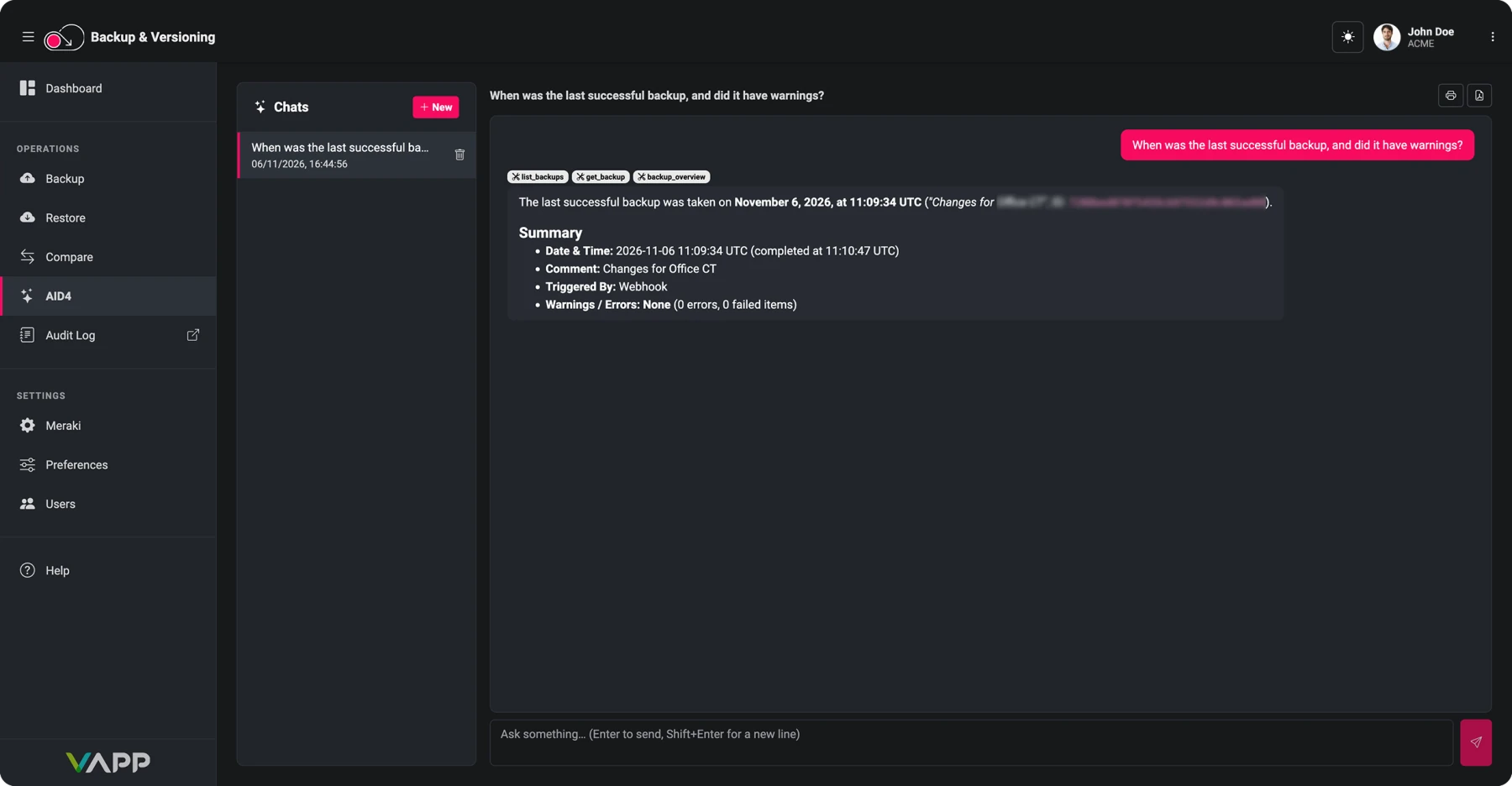

A chat that answers from your stored backups, in your language: what changed between two dates, or how a network is set up. Any change waits for your approval.

Backup and restore pages show progress based on the work done, with the estimated time left. Reports name the networks that returned errors, and an aborted run triggers a notification.
Experience the power of VAPP directly from your browser through simulations of real contexts.
Start demo
Take advantage of a free trial for the product of your interest. There’s no charge to start a VAPP product evaluation.
Start your trial
Brochures, videos, datasheets, case studies, manuals and much more. A collection of media for a better understanding of VAPP.
See resources
Ask a question or schedule a call with our team. Register for an assisted demo to discover how VAPP can help your business.
Submit a request